The poll feature allows leaders and members to create polls within their alliance.
the available options for answers include Yes/No/Maybe and are more customized for title calls.
A great use for this feature is to create a poll for title calls and allow members to vote on if they will be going for the title of that specific event or not.The polls also provide a proxy vote option for members who aren't in discord but still want to vote.
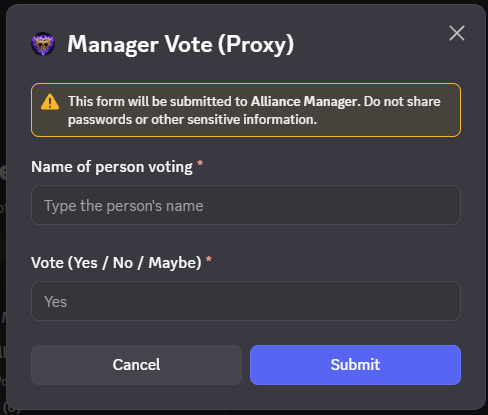
The polls also have a timer function that can be enabled to automatically end the poll after a certain amount of time.
Any normal players attempting to vote for a locked poll will receive a message that the poll is locked.
Additional roles of the bot include Namekeeper Manager and Proxy Votes.
Namekeeper Manager of course allows the user assigned to manage the bot and update nicknames and MVP.
Proxy Votes allows the assigned user to vote on behalf of members who aren't in discord but still want to vote.
Only the Namekeeper Manager role can override a locked poll and provide a proxy vote for a member.
The instructions and process for polls will be changing soon. Therefore only the pictured steps are included for now. Once the new update has been implemented this page will be updated.
Please note that the integrated roles created by the bot have two specific functions when it comes to polls. The Namekeeper Manager role can override a locked poll and provide a proxy vote for a member. While Proxy votes role can only provide proxy votes during the open time. If the poll is locked a member with the proxy vote role will not be able to override a locked poll.
It is best for the Namekeeper Manager role to be only given to trusted members or the admin of the server ie. leader of the alliance. The polls command is currently utilized for title call intentions but the next update will open it up to be more customizable while still providing the proxy vote option that Discord doesn't offer.
To create a poll use the command "/poll"
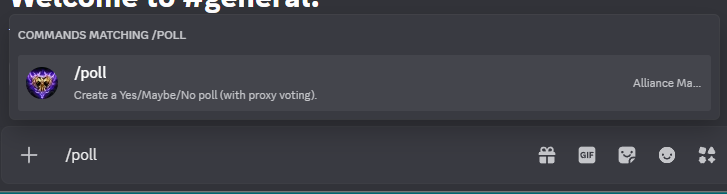
After typing the command, you will be prompted to enter the question for the poll.
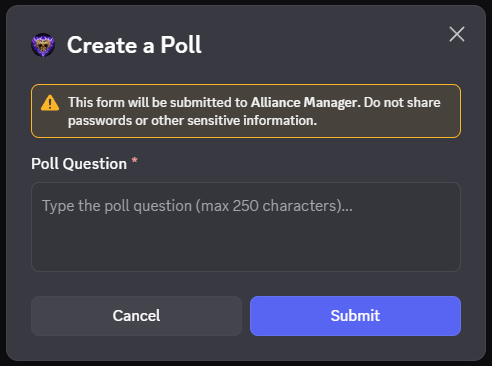
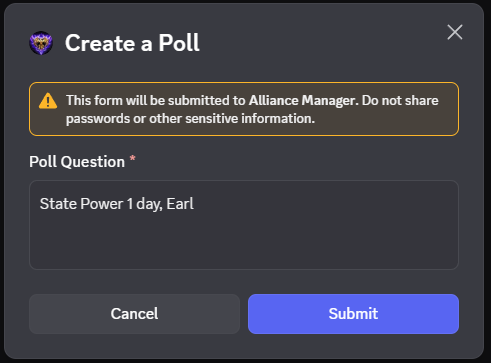
The poll is created and an ephemeral message appears confirming the creation and what channel it was posted in.
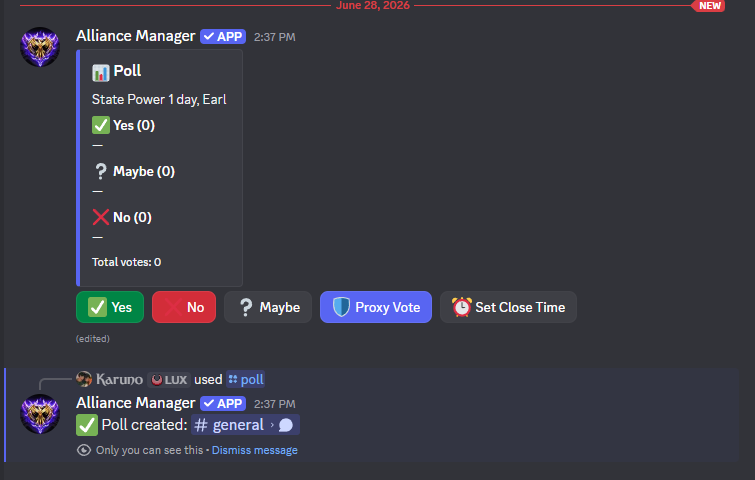
A button called 'Set Close Time' can be used to lock the poll at a specific time.
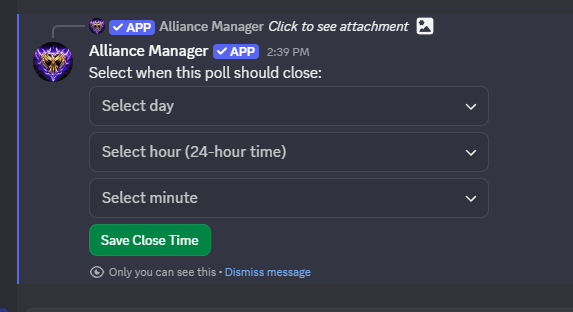
Confirmation message showing the date and time the poll will be locked.
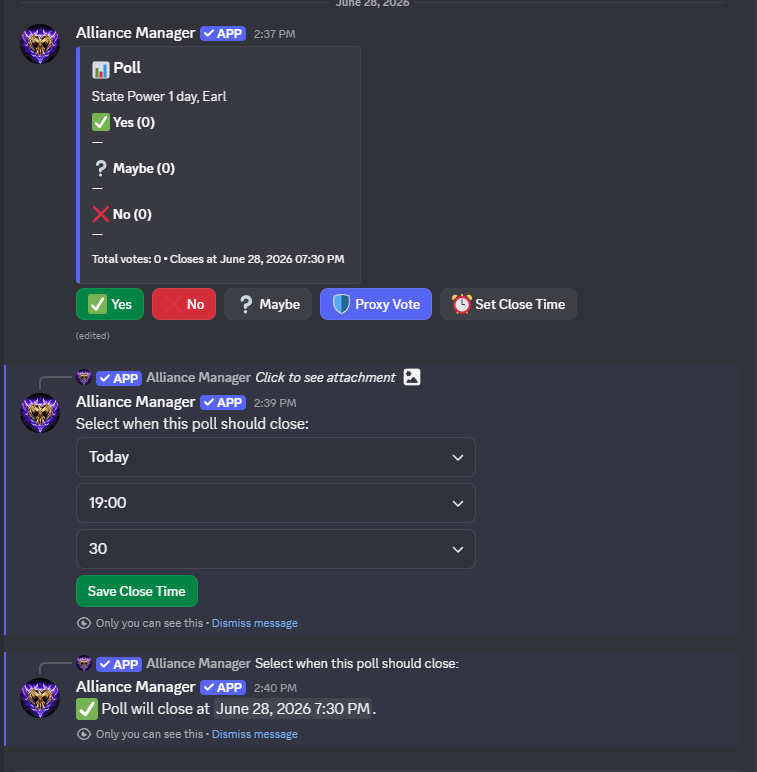
Proxy vote entry via name and their vote.
Confirmation message showing the proxy vote has been entered.
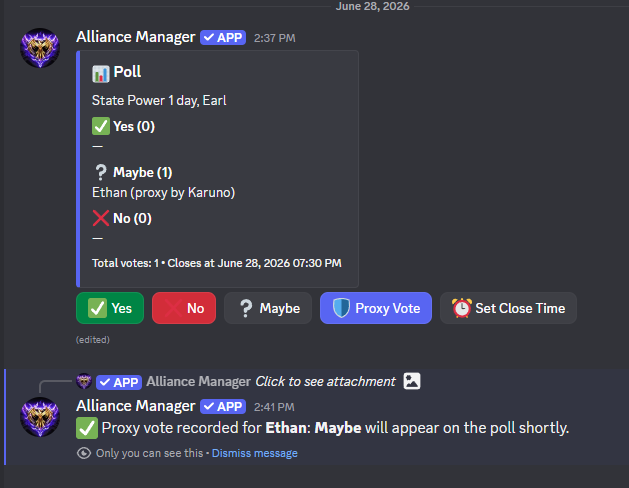
Important: All votes take 60 seconds before showing up on the message. The intention is for the bot to grab as many votes as possible before updating the message and prevents excessive API usage calls.
← Back to Home